Concepts in Design & UX, page 25

Public Domain: Use Creative Works Freely
The public domain is a global library of creative works anyone can use freely. It's essential for creators needing assets like images or music without licensing fees.
JTBD Interview: Map the Job, Ignore the Persona
A JTBD interview reconstructs when a user fires one solution and hires another for progress. Use it to discover causal forces, not preferences. The footgun is profiling demographics instead of the struggle that triggered change.
Card Pattern: Self-Contained Content Objects
A card groups related info into a bounded, scannable object you can rearrange like playing cards. Use it for dashboards, product grids, or feeds where items need equal visual weight.

Fair Use: Using Copyrighted Work Without a License
Fair use is a legal defense, not a right, allowing unlicensed use of copyrighted work for criticism, commentary, or education. It's essential for reviews or tutorials.
Usability Benchmarking: Quantifying Product Friction
Usability benchmarking is a fitness tracker for your product: you measure task success against a baseline or competitor to prove changes reduce friction. Use it to justify redesigns, but the footgun is testing too few users and mistaking noise for trend.
Dashboard Layouts: Information Architecture, Not Just Grids
A dashboard layout is an information hierarchy, not grid; it controls what users see in first three seconds. Use it for monitoring and admin panels where users scan for anomalies. Biggest mistake is filling every pixel with widgets, destroying glanceability.
Figma: Local vs. Published Library Assets
Local Figma assets are private drafts; published assets are the team's shared toolkit. Use this to manage a central design system, but remember: if you don't publish your changes, your team will be using outdated components and variables.
Creative Commons: Granting Permissions Beyond 'All Rights Reserved'
Creative Commons licenses provide a standard way to grant permissions for your work, moving beyond copyright's 'all rights reserved' default. They're used on platforms like Wikipedia and Flickr to allow sharing while defining terms.
Saturation: When to Stop Interviewing
Saturation is when new interviews stop yielding fresh themes, like wringing a dry towel. It gives UX researchers a data-driven stopping rule instead of an arbitrary quota. The footgun is claiming it after only talking to lookalikes who share the same context.
Page Templates: The Floor Plan for UI
Page templates are the floor plan, not the furniture: fixed zones where components slot in. Use them for recurring screens like dashboards so teams stop rebuilding skeletons. The footgun is treating them as giant components, forcing brittle overrides later.

Trademark Usage: Treat Brands as Adjectives
A trademark is an adjective, never a verb. When writing copy or UI text, use ™ for unregistered and ® for registered marks, and distinguish them from surrounding text. The footgun is treating brands as verbs or implying endorsement when citing third parties.
Figma Widgets: Live Apps on Your Canvas
Figma Widgets are like mini-apps living on your canvas that everyone interacts with at once, unlike single-user plugins. Use them for collaborative tools like live polls or data tables.
Framework Analysis for UX Research
Framework analysis overlays a proven lens onto raw UX data instead of mining themes from scratch. Reach for it when testing against heuristics, TAM, or accessibility standards.
Component Usage Guidelines as Guardrails
Usage guidelines are guardrails, not the component itself. They tell engineers when to pick primary versus secondary buttons, or when a modal becomes a page. Without them, teams reinvent one component for different contexts, fragmenting the system.
Realistic UI Motion with Easing Curves
Easing curves control animation acceleration to make UI motion feel natural, not robotic. Use 'Ease Out' for elements entering the screen and 'Ease In' for those leaving. The footgun is overusing one curve; this makes motion feel unnaturally perfect.

Truth in Advertising: Claims Must Be Substantiated
Don't just say it, prove it. Advertising claims must be truthful, not misleading, and substantiated with evidence *before* you publish. This applies to all ads, from product performance claims to influencer endorsements.
UX Research Report: Decisions, Not Deliverables
A UX research report is a decision tool, not a data dump; it turns observations into product direction. Teams use it after usability tests to align stakeholders on what to build. The biggest mistake is writing for your ego instead of the reader's next move.
Voice and Tone: One Voice, Many Moods
Voice is your product's personality; tone is its mood in the moment. Guidelines keep every button and error message from feeling written by different teams. The footgun is documenting voice but skipping tone, so a cheerful brand still sends terrifying alerts.
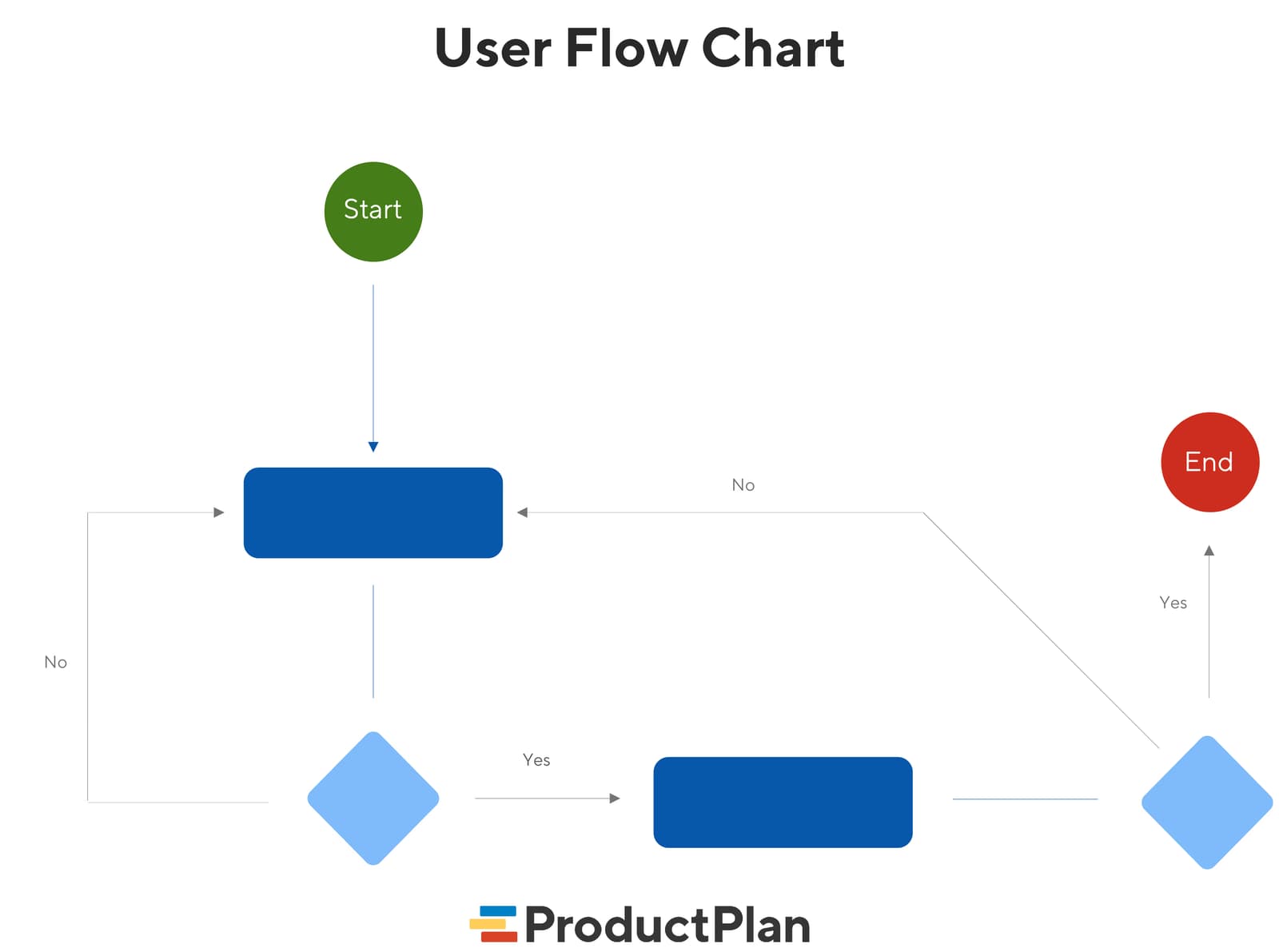
User Flow Diagrams: Mapping the Path to 'Done'
A user flow diagram maps the exact steps a user takes in your app to complete one task. It aligns teams on product goals and gives developers a visual guide, preventing confusion and rework. The footgun: it's not a customer journey, which is far broader.
CAN-SPAM Act: The Rules for Commercial Email
The CAN-SPAM Act sets the rules for commercial email, not blocks it. It requires clear identification as an ad, a physical address, and an easy opt-out method. The law applies to all promotional emails, not just bulk campaigns.
We are hiring for this. Every open role lists the topics its interview covers, so you can prepare for the real thing rather than guessing.
See open roles