All bites
The whole library, newest first. Filter by what you are here for, or pick a topic if you already know.
8667 bites
Page 368
Design System Governance: Preventing UI Chaos
A design system governance model defines the rules for evolving your UI library, preventing a free-for-all of conflicting changes. It dictates how new components are proposed and approved.

Atomic Design: Building UIs from the Smallest Parts
Atomic Design treats UIs as thoughtful hierarchies, building interfaces from the smallest parts up. This methodology helps create robust design systems for rolling out consistent UIs faster across countless devices. The footgun is seeing it as a rigid process.
Sass Control Directives: Logic in Your Stylesheets
Sass control directives bring programming logic—if/else, loops—into your CSS preprocessor. Use them to generate component variations or utility classes without repetitive code.

Source Maps: Debug Your Compiled CSS
Source maps are a decoder ring for your browser's dev tools, translating minified CSS back to the original SCSS or LESS files you wrote. This lets you debug styles in your source code, not the unreadable compressed output.
PostCSS Preset Env: Write Future CSS Today
postcss-preset-env is like Babel for CSS, transpiling modern syntax into code older browsers understand. Use it to write features like nesting or color-mix() today. The footgun: it only polyfills Stage 2+ features by default; you must opt-in for more.

Mobile-First Design: Start Small, Then Scale Up
Mobile-first design means building for the smallest screen first, then enhancing for larger ones. This ensures a solid baseline experience on phones, where most users are. The footgun is thinking it's just CSS, not a content-first strategy.
CSS Combinators: Targeting by Relationship
CSS combinators target elements by their DOM relationship, not just class or ID. They let you select an element inside another (div p) or right next to one (h2 + p). This is key for styling nested menus or spacing adjacent items.
CSS Houdini: Extending the CSS Engine
CSS Houdini gives developers low-level access to the browser's rendering engine, letting you write your own CSS features. Use it to polyfill new CSS or define type-safe custom properties with @property, preventing invalid values from being silently ignored.
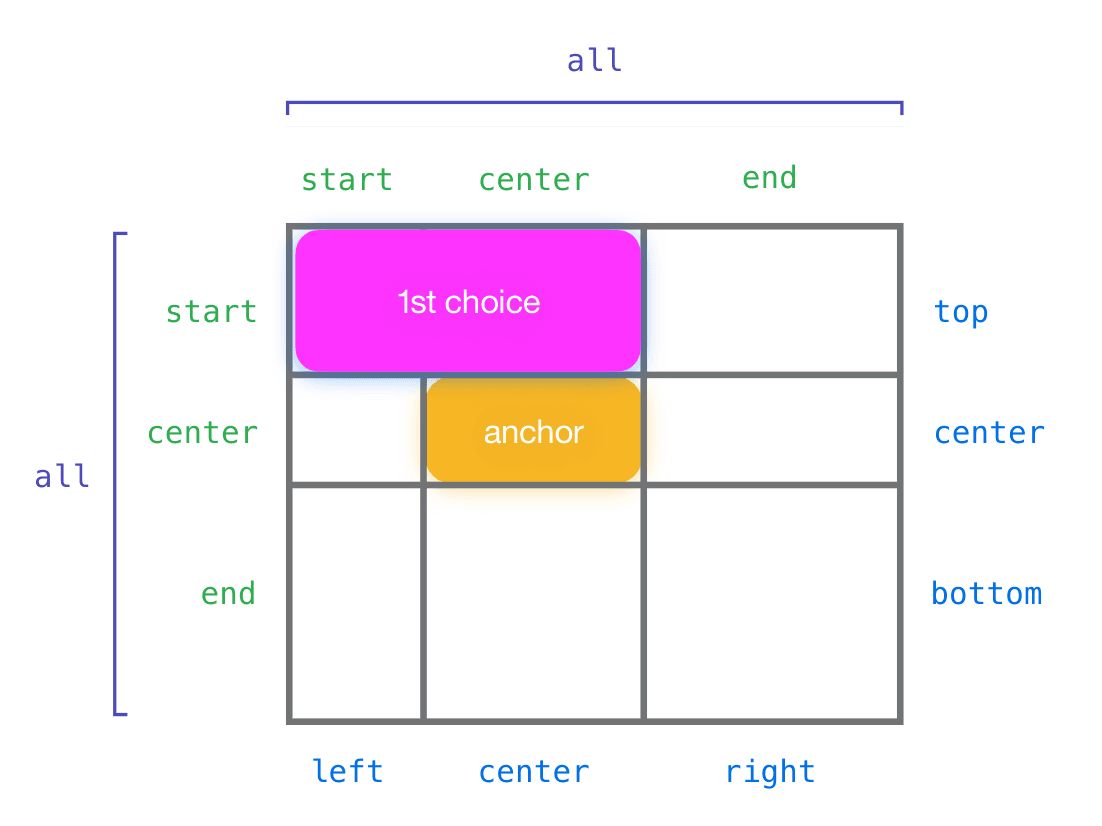
CSS Anchor Positioning: Beyond the Containing Block
CSS Anchor Positioning lets you tether an element to any other element, not just its parent. Use it for popovers or tooltips that automatically reposition to stay in view. The footgun is forgetting to explicitly name your anchor with anchor-name.
View Transitions API: Animate Between DOM States
The View Transitions API lets the browser handle complex animations between page states. It simplifies transitions in Single-Page Apps and, for the first time, enables them for Multi-Page Apps. The main footgun is forgetting it's a progressive enhancement.
CSS Masking: Using Stencils for Web Elements
CSS masking is like a stencil for your elements. You provide a shape, and only the parts of the element under the stencil's cutout are visible. Use it for non-rectangular shapes, like text cutouts.
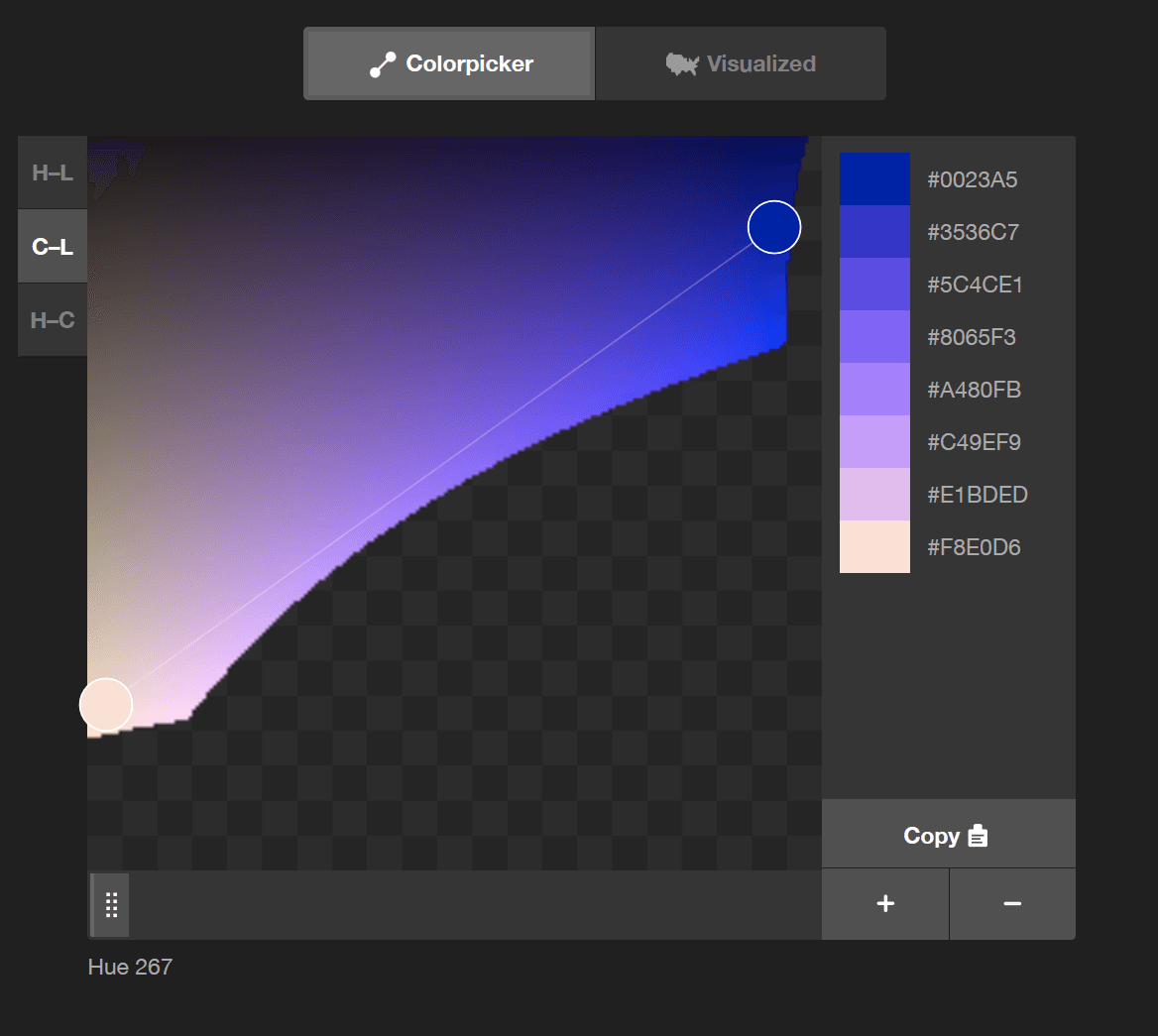
color-mix(): CSS's Native Color Blender
color-mix() lets you blend two colors directly in CSS, like mixing paint. Use it to generate theme variations, like hover states, from a base color. The chosen color space (e.g., srgb, oklch) dramatically changes the result, so always specify it.
CSS Scroll Snap: Guiding User Scrolling
CSS Scroll Snap turns a free-scrolling container into a slideshow, guiding users to land perfectly on predefined points. It's ideal for image carousels or full-page sections where partially visible elements look sloppy.
The Popover API: Native Tooltips and Menus
The Popover API creates tooltips and menus with just HTML, placing them in a top layer above all other content without z-index hacks. Use it for action menus or notifications.
The `inert` Attribute: Making UI Sections Unreachable
The inert attribute makes a part of the DOM non-interactive and inaccessible. It's like a glass pane over a UI section: you can see it, but can't click, focus, or use a screen reader on it. Use it for off-screen menus or inactive dialogs.
Fix Ragged Text Lines with `text-wrap: balance`
Fix awkward text wrapping in headings. text-wrap: balance tells the browser to make each line roughly the same length, improving readability. Use it for short text blocks like titles, but know it's limited to a few lines due to performance costs.
CSS Nesting: Grouping Related Styles
CSS nesting groups related styles like folders for files. Instead of repeating parent selectors, you write child rules inside the parent. This is great for component-based styling, but over-nesting creates specificity headaches that are hard to override.
Web Workers: Offload Heavy Tasks from the UI Thread
Web Workers run JavaScript on a background thread, preventing heavy tasks from freezing your UI. Use them for complex calculations or data processing that shouldn't block rendering.

The RFC Process: Formalizing Technical Decisions
An RFC (Request for Comments) is a formal document for proposing a major technical change, creating a public record of the decision. It's used for big shifts like adding a new design system component or changing a core API.

Design System Adoption: A Product, Not a Project
Treat your design system like a product with users (your teams), not a one-off project. This is crucial when launching a new system to ensure teams actually use it. The biggest footgun is assuming 'if you build it, they will come.'