All bites
The whole library, newest first. Filter by what you are here for, or pick a topic if you already know.
8667 bites
Page 414
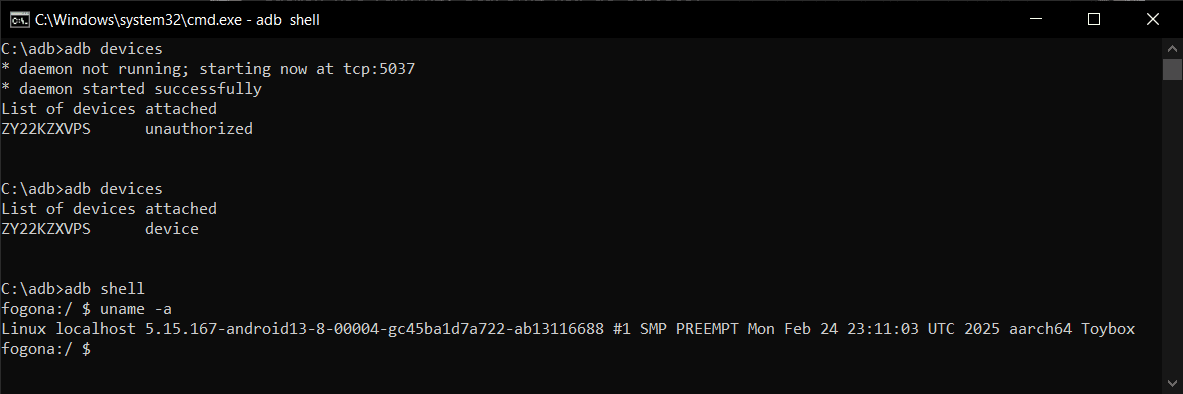
Android Debug Bridge (ADB): A Developer's Remote Control
Android Debug Bridge (ADB) is a developer's universal remote for an Android device. This command-line tool lets you install apps, view logs, and run shell commands, bypassing the UI. It's used for debugging, file transfers, and automation.

Android Build Variants: One Codebase, Many Apps
Think of build variants as a matrix for your app builds, combining build types (like debug/release) with product flavors (like free/paid). This lets you manage different API endpoints or features for various versions from a single codebase.
Adding Build Dependencies with Gradle in Android
Gradle is the tool for adding build dependencies to your Android app. This allows you to integrate external libraries like Jetpack, Compose, or Google Play Services, which are essential for building modern applications.
Logcat: The `tail -f` for Android Apps
Think of Logcat as tail -f for your Android app, streaming system and application messages from a device in real-time. It's your primary tool for debugging crashes, tracking execution flow, and inspecting variable values as your app runs.
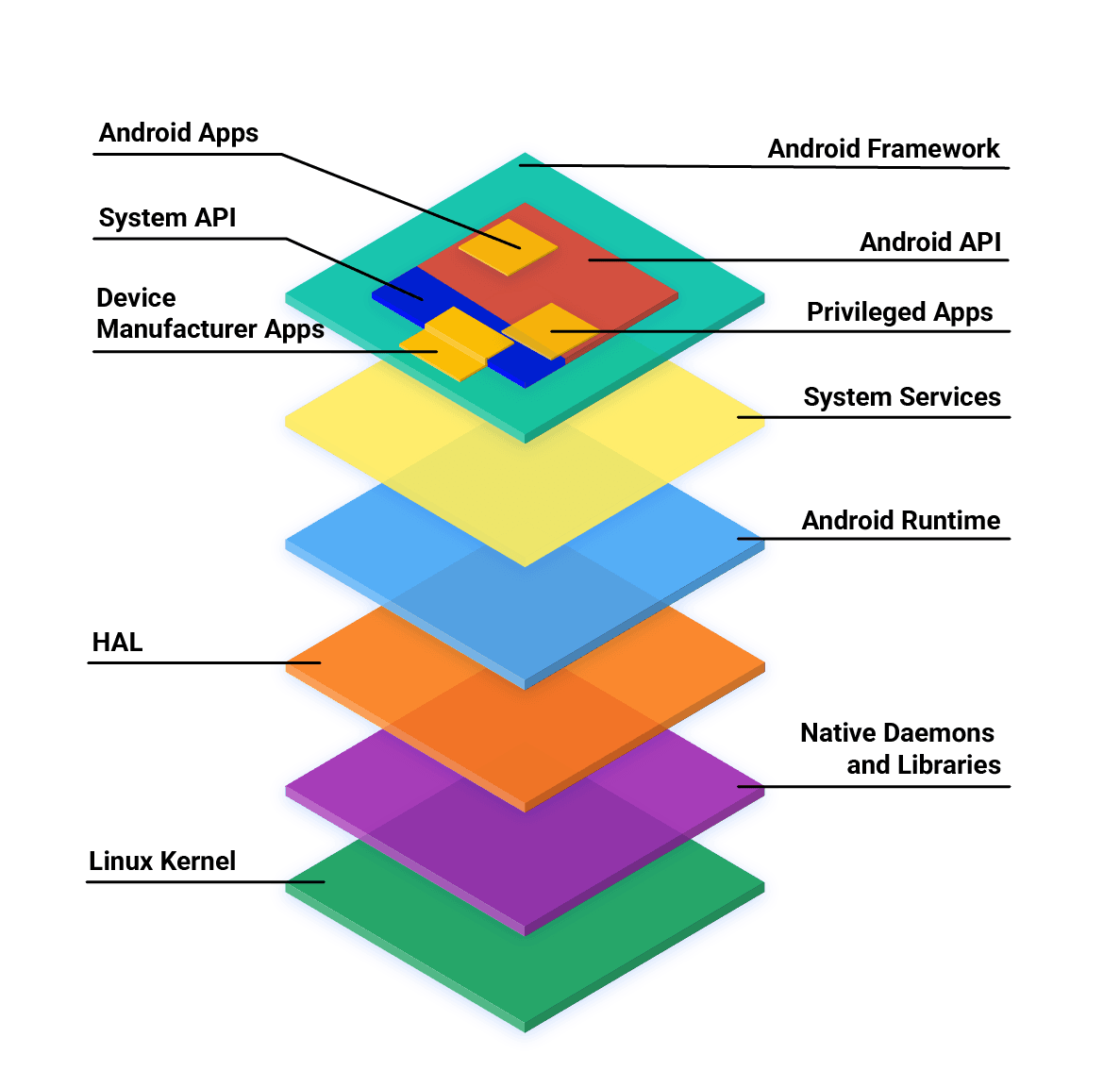
Android App Development: Core Languages and Tools
Android apps are primarily built with Kotlin, Java, and C++ using the official SDK. While other languages are possible, they often need 'glue' code to work and may have restricted API access. The main footgun is assuming any language has first-class support.
AndroidManifest.xml: The Blueprint for Your App
AndroidManifest.xml is the blueprint for your app, telling the OS its components, permissions, and requirements before running any code. A missing declaration here is a common source of runtime crashes, as the OS simply won't see your component.
Android Project Structure: Your App's Filing Cabinet
Think of an Android project as a standardized filing cabinet. It organizes your code, images, and configuration into specific folders so the build system knows where to find everything. This is the foundation of every Android app you build or inspect.
Android Studio: The Official Workshop for Android Apps
Think of Android Studio as the all-in-one workshop for building Android apps. It bundles a code editor, build system, and emulators to write, test, and package software for any Android device. The footgun is underestimating its resource needs.

Kotlin's Type-Safe Builders: Code as Data
Type-safe builders use Kotlin code to create a custom language (DSL) for building complex objects. It's like writing HTML, but the compiler validates your structure. This is common for UI layouts or server configs. The footgun is omitting @DslMarker.
Reified Type Parameters: Accessing Generic Types at Runtime
Reified type parameters let you access generic types at runtime, bypassing JVM type erasure. In Kotlin, you use this inside inline functions to check types (obj is T) or get a class reference. The footgun: reified requires inline to work.
Kotlin's `in` and `out`: Declaration-Site Variance
Kotlin's out and in keywords define a generic class as a producer or consumer at its declaration, avoiding Java's repetitive wildcards. Use out T for types only returned (produced) and in T for types only consumed.
SharedFlow: A Hot Flow for Broadcasting Events
A SharedFlow is a hot stream that broadcasts values to all subscribers, like a live TV channel. It's ideal for one-to-many events, like UI updates or notifications. The main footgun: it never completes, so collect will suspend forever.
Kotlin Delegated Properties: Reusing Getter/Setter Logic
Kotlin's delegated properties let you outsource a property's getter/setter logic. Instead of writing boilerplate, you reuse common patterns like lazy initialization (by lazy) or observing changes (by observable).
StateFlow: A Hot Flow for UI State
StateFlow is a state-holder observable that emits the current and new state updates to its collectors. Use it to expose UI state from a ViewModel to a UI. The footgun: slow collectors can miss intermediate state updates, receiving only the most recent value.
Kotlin Coroutines: async/await for Parallel Results
async starts a coroutine for a parallel result, returning a Deferred value. await pauses until that result is ready. Use it to run independent network calls concurrently. The footgun: using it for sequential tasks creates a needless race condition.
Structured Concurrency in Kotlin
Structured concurrency treats async operations like code blocks: a parent task's lifetime contains its children. In Kotlin, a CoroutineScope ensures if the parent is cancelled, all its child coroutines are too.
Kotlin Flow: Asynchronous Data Streams
A Kotlin Flow is like an async Sequence, emitting multiple values over time without blocking. It's used for live data from a database or streaming network responses. The footgun: Flows are cold; the code doesn't run until a collector calls .collect().
CoroutineScope: The Parent of Your Coroutines
A CoroutineScope acts as a parent to a group of coroutines, managing their lifecycles. When the parent scope is cancelled, all its children are cancelled too. It's used with builders like launch to group related work, like in an Android ViewModel.
Coroutine Dispatchers: Telling Your Coroutines Which Thread to Use
A Dispatcher tells a coroutine which thread or thread pool to use for its work. Use Dispatchers.Default for CPU-intensive tasks. If none is specified, it inherits from its parent. The main footgun: Unconfined can resume on an unexpected thread.
Kotlin Coroutines on Android
Kotlin coroutines let Android code write asynchronous logic that reads like sequential code, suspending instead of blocking a thread. Structured concurrency ties each coroutine to a scope, so a destroyed ViewModel cancels its children automatically.