Everything in CI/CD & Automation, page 15
Incremental Build: Develop and Ship Software in Pieces
Incremental builds deliver software in usable chunks, not one big release. This lets you ship value and gather feedback early on large projects. The footgun is poor planning, leading to disconnected features and architectural debt instead of a cohesive…
Code Coverage: What Your Tests Don't Tell You
Code coverage measures which lines of code your tests execute, not how well they're tested. It's used in CI to enforce a testing baseline, but the footgun is mistaking high coverage for high quality—100% coverage can exist with zero useful assertions.
Maven's Build Lifecycle: A Sequence of Build Phases
Maven's build lifecycle is a predefined sequence of phases like compile, test, and package. Running a phase executes all preceding ones, ensuring a consistent build.
Gradle: Code-Based Builds, Not XML
Gradle treats your build process like code, not configuration, using a flexible Groovy or Kotlin DSL instead of rigid XML. It's used for compiling and packaging multi-language projects.
Apache Maven: Convention Over Configuration for Builds
Maven standardizes your build process using a 'convention over configuration' model, defining project structure and dependencies declaratively. It's the backbone of many Java projects, ensuring consistent builds. The footgun is fighting its conventions.
Static Analysis: Read Code, Don't Run It
Static analysis is like a spell checker for your code, catching errors before you run the program. It powers linters and security scanners in CI pipelines to find bugs and vulnerabilities. The footgun: it can't understand intent, leading to false positives.
Build Dependency Management: Your Project's Recipe
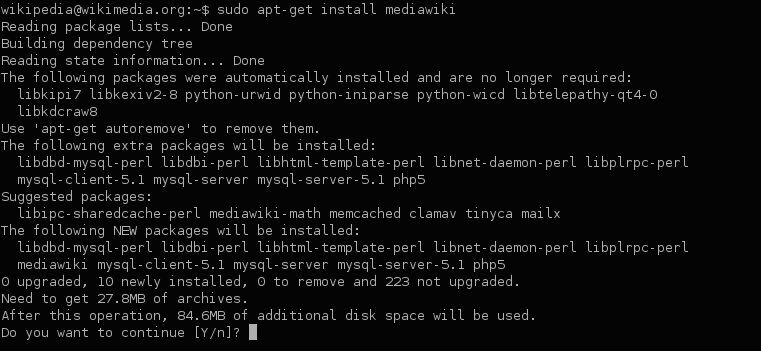
Dependency management is your project's recipe, ensuring everyone uses the same library versions. It's used everywhere from web apps pulling React via npm to Java services using Maven.
Make: The Original Task Runner
Make automates tasks by following a recipe in a makefile. It intelligently runs only the necessary steps by checking dependencies, saving time during builds. While common for compiling code, it can run any shell command.

Build Artifact: The Packaged Output of a CI Run
A build artifact is the packaged result of a CI run, like a compiled binary or a zipped web app. Pipelines use artifacts to pass this output between stages, from building to testing and deploying.
Git LFS: Versioning Large Files Without Bloating Your Repo
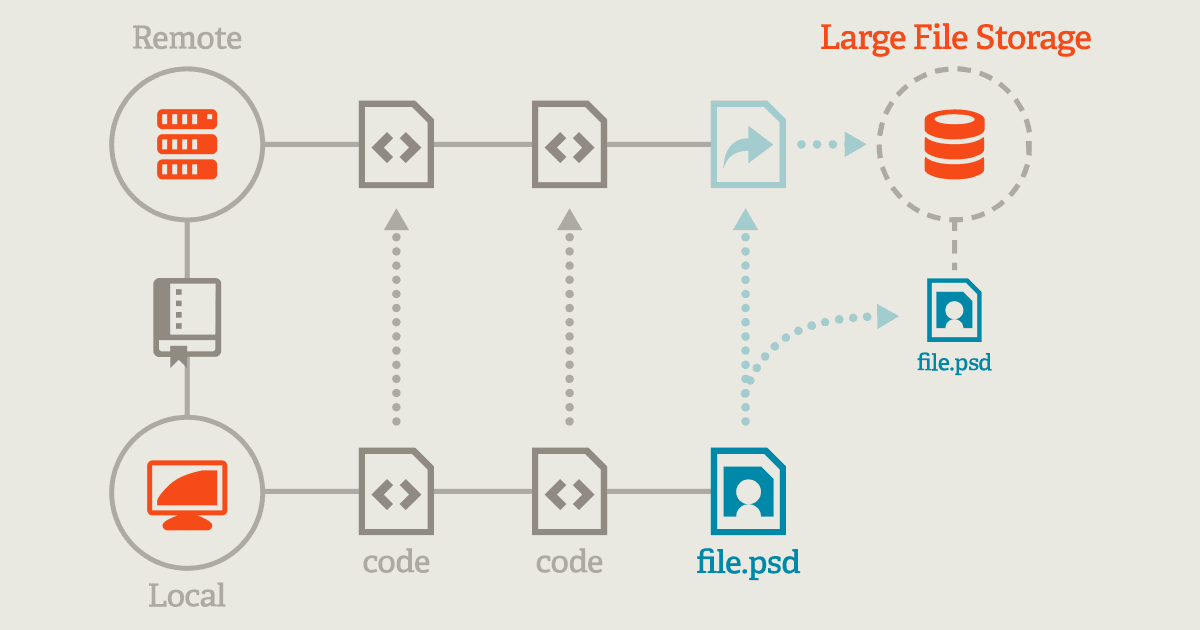
Git LFS replaces large files with text pointers in your repo, storing the actual data on a remote server. This keeps clones fast when versioning videos, datasets, or graphics. Footgun: git lfs track only affects new files, not existing ones.
Monorepo vs. Polyrepo: One Repository or Many?
A monorepo is one repository for all projects, like a city; a polyrepo is one per project, like separate towns. Monorepos simplify code sharing and atomic refactors but require complex tooling. Polyrepos offer autonomy but can create dependency hell.
Git Cherry-Pick: Copy a Commit to Another Branch
Think of git cherry-pick as copying a single commit's changes from one branch and reapplying them as a new commit on another. It's for backporting a bug fix without merging an entire feature branch.
GitFlow: A Branching Model for Versioned Releases
GitFlow organizes your repo around two main branches: master for production and develop for integration. It's designed for projects with distinct, numbered releases, like desktop apps, not for continuously delivered web apps where simpler models are…
GitHub Flow: A Simple, Branch-Based Workflow
GitHub Flow is a simple workflow where main is always stable and new work happens on a feature branch. It's used for continuous delivery, from code to documentation.
Git Rebase: Rewriting History for a Cleaner Timeline
Git rebase rewrites history by transplanting your commits onto a new base, creating a clean, linear project history instead of a merge bubble. It's used to catch a feature branch up with main. Never rebase a branch others are using; it rewrites history.
Git Merge: Combining Development Histories
Git merge combines separate lines of development into one branch. It creates a special merge commit that ties the two histories together, preserving the context of each. Use it to integrate a feature branch into your main line.
Pull Requests: A Structured Conversation About Code
A Pull Request (PR) is a structured conversation about a proposed code change. It's used in team projects to review new features and fixes, ensuring quality and sharing knowledge. The footgun is treating PRs as a rubber-stamp approval instead of a real review.
Git Branch: A Lightweight Pointer, Not a Full Copy
A Git branch is a lightweight pointer to a commit, not a heavy copy of your code. This makes creating and switching branches nearly instant. Use them to isolate new features or bug fixes. The footgun is forgetting a branch is local until you push.
.gitignore: Telling Git What to Ignore
A .gitignore file is a deny-list for your repository, telling Git which files and directories to intentionally leave untracked. Use it to keep build artifacts, log files, and local configs out of your commit history.
Git Commit: A Snapshot, Not a Diff
A Git commit is a permanent snapshot of your entire project, not just the changes. It's a save point containing the full state of all files, linked to the previous commit to form a historical chain.
We are hiring for this. Every open role lists the topics its interview covers, so you can prepare for the real thing rather than guessing.
See open roles