Advanced concepts in Design & UX, page 3
Auto Layout's `border-box`: strokesIncludedInLayout
Figma's strokesIncludedInLayout is the equivalent of CSS box-sizing: border-box. It makes an Auto Layout frame's total dimensions include its stroke, preventing size changes.
Content Governance: The Rulebook for Your Content
Content governance isn't about writing; it's the rulebook for *how* content is created, managed, and retired. It defines roles, standards, and processes to ensure consistency and quality at scale. The footgun is buying a CMS without a governance plan.
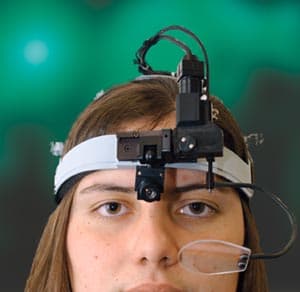
Eye Tracking: See What Your Users Actually See
Eye tracking reveals what users actually look at, not just what they say they do. It's used in UX to generate heatmaps showing which UI elements draw the eye. The footgun: a long gaze can mean interest, but it can also mean confusion.
GOMS Model: Predicting User Performance as a Script
The GOMS model predicts expert user performance by breaking down tasks into a script of Goals, Operators, Methods, and Selection rules. It's used to get quantitative estimates of task efficiency, but its footgun is assuming a perfect user who never makes…
Pluralistic Walkthrough: Diverse Roles, One User Task
A pluralistic walkthrough is a group critique where developers, users, and UX pros role-play as end-users to find flaws in a design. It's used early to catch issues cheaply. The footgun is letting developers defend their work instead of listening.
Chromatic: Visual Regression Testing for Components
Chromatic is a smoke detector for your UI's appearance, taking snapshots of every component on every commit to catch unintended visual changes. It's used in CI/CD to prevent visual regressions when refactoring. The footgun is relying on it for business logic.
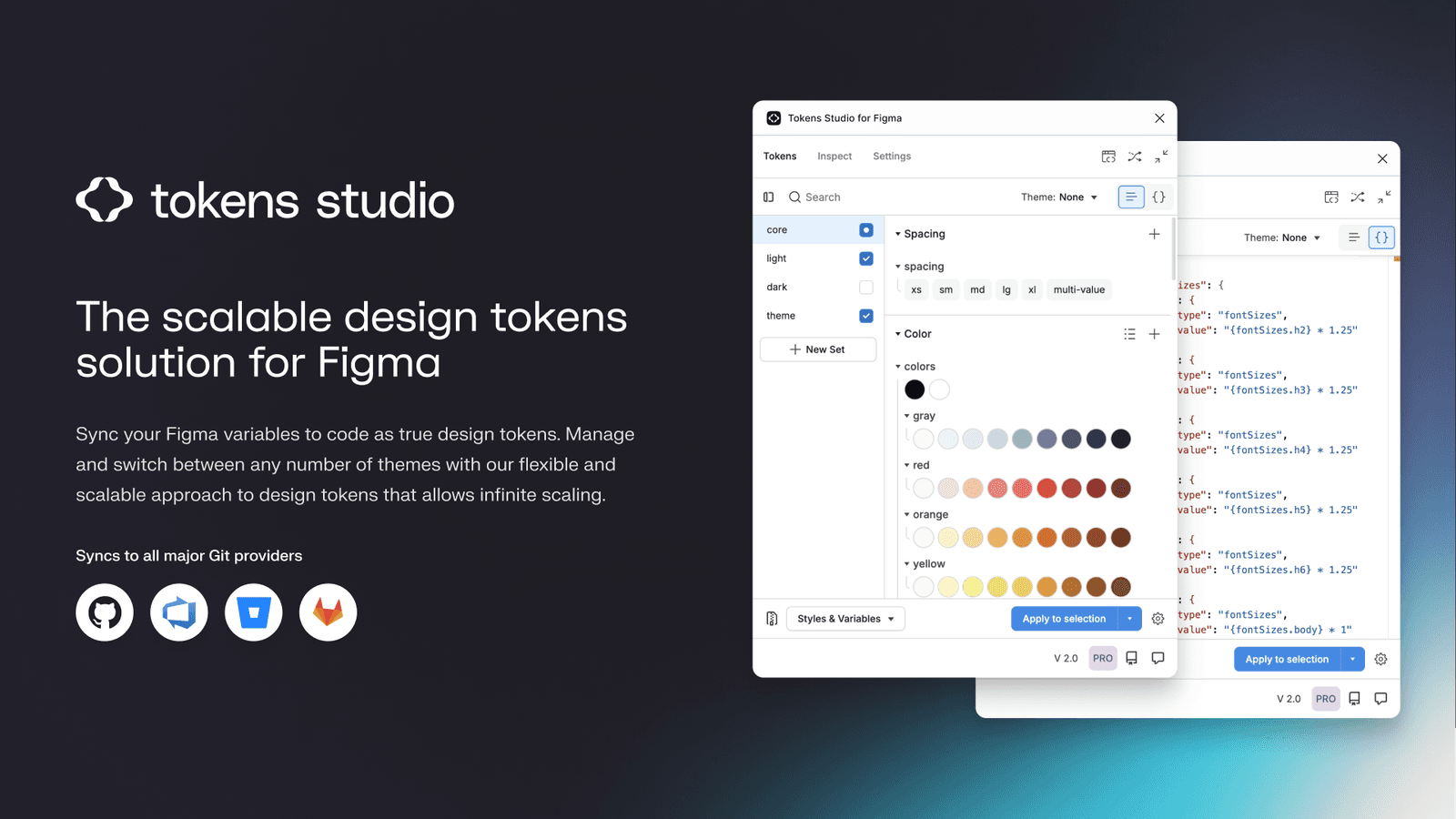
Token Studio: Bridge Figma Designs to Production Code
Token Studio is a control panel for your design system's raw values, bridging Figma with production code. Use it to manage themes and sync design decisions to a developer-accessible Git repo. The main footgun is using it only locally for Figma styles.

Featured Snippets: Earning 'Position Zero' in Google
Featured Snippets are Google's attempt to answer a query directly on the results page, often called "position zero." You win them by structuring content to be the clearest answer to a specific question, but this can sometimes decrease your click-through rate.
Keyword Cannibalization: When Your Pages Compete Against Each Other
Keyword cannibalization is when your own pages fight for the same search rankings, splitting your authority. This happens when multiple articles target the same keyword and user intent.
TF-IDF Analysis
TF-IDF weights a term by how often it appears in a document against how rare it is across the corpus, surfacing words distinctive to that document rather than ones common everywhere, which powers keyword extraction and search ranking.
Figma's Slot Pattern: Flexible Components Without Detaching
Think of a slot as a 'bring your own content' area within a Figma component. It lets you customize instances with unique layouts, like in a card or modal, without detaching them from the main component and breaking your design system.
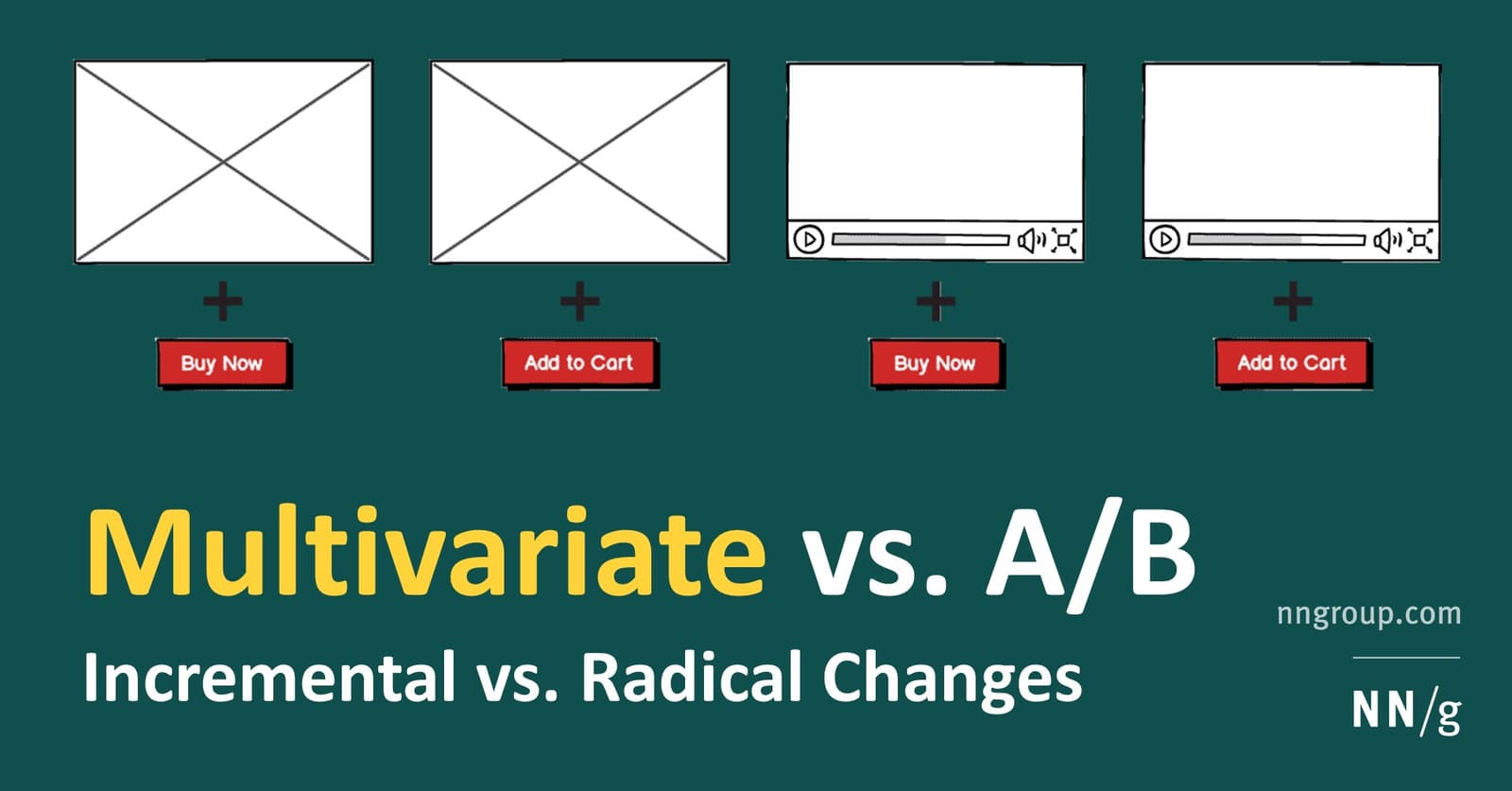
Multivariate Testing: Find Which UI Changes Interact
Multivariate testing compares combinations of changes, such as a headline and button, to study how they work together. More combinations split the available traffic, so plan the sample size before choosing this over a simpler A/B test.
Article Schema: A Nutritional Label for Your Content
Article schema is a nutritional label for your content, telling search engines exactly what each part is. Use it for blog posts and news to earn rich snippets, but the footgun is incomplete mapping—just defining the type is not enough.
MaxDiff Analysis: Find True Preferences, Not Just Ratings
MaxDiff finds what people truly value by asking them to pick the "best" and "worst" from a small set, not just rate them. Use it to rank features or messages without the ambiguity of 1-5 scales.
Forced Colors Mode: When the User Overrides Your Palette
Forced Colors Mode is an accessibility feature where the browser overrides your site's colors with a user-defined, high-contrast palette. This ensures readability for users who depend on it. The footgun is disabling it and making your UI invisible.

Accessibility E2E Testing: Automating User Journeys
Accessibility E2E testing integrates automated checks into simulated user journeys, testing the rendered app as a user would. It's used in CI/CD to validate flows like sign-up or checkout.
VPAT vs. ACR: The Nutrition Label for Accessibility
An ACR is a standardized report card for a product's accessibility, based on a template called a VPAT. It's a nutrition label stating conformance facts, not a pass/fail grade.
Figma Expressions: Dynamic Prototypes with Logic and Math
Figma expressions are like mini-formulas in your prototype, letting you manipulate variables with math and logic. Use them to build shopping carts that calculate totals or progress bars that fill up.
Figma Video: It's a Fill, Not a Layer
Treat video in Figma as just another fill, not a special layer. Apply it to any shape to prototype video players or motion backgrounds. The footgun is forgetting it requires a paid plan to upload and won't play in the Figma mobile app.
Figma: Stacking Multiple Interactions on One Object
Stack multiple interactions on a single Figma object by treating each as a separate event listener, like onClick and onHover. This is essential for components with hover states that also need to navigate.
We are hiring for this. Every open role lists the topics its interview covers, so you can prepare for the real thing rather than guessing.
See open roles