Easy concepts in Design & UX, page 2
Research Objectives: From 'What If' to 'What to Test'
Research objectives translate vague business worries into specific, testable questions about user behavior. They are the blueprint for your study, ensuring you test what matters.
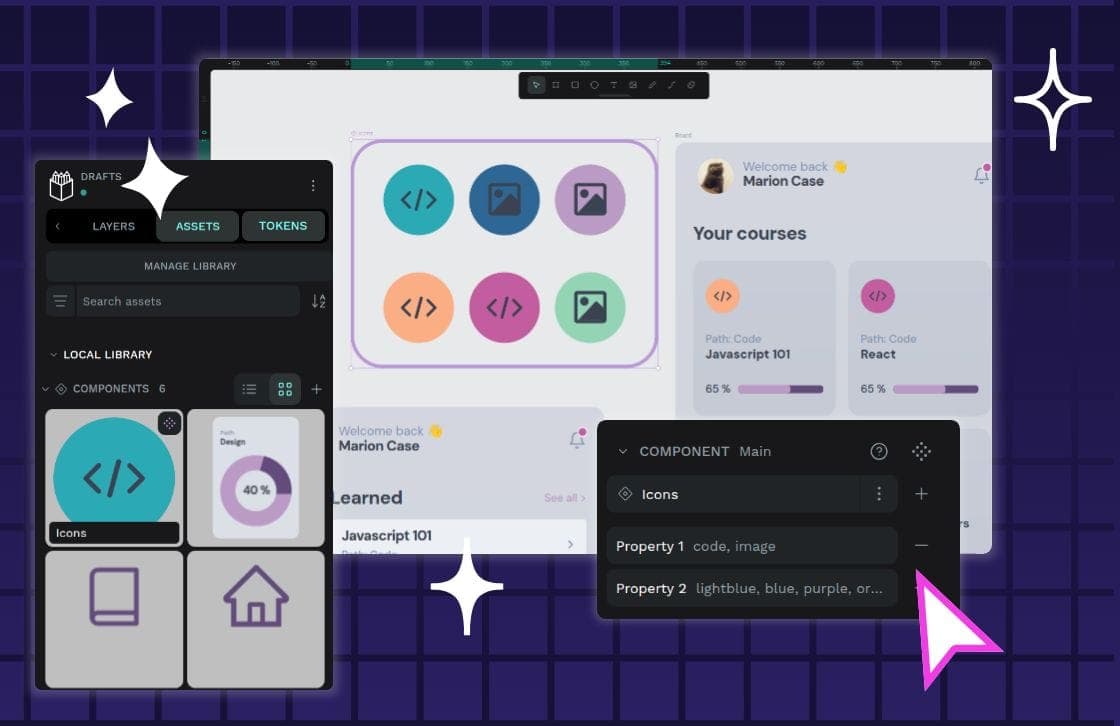
Component Variants: One Component, Many Forms
Component variants are like Lego bricks for your UI: one block can build many things. Instead of creating a unique component for every button state or size, you define properties to manage its variations.
Component Composition: Treat a Group Like an Individual
Component composition treats a group of objects the same as a single one. This allows building complex UIs by nesting simple components, like putting a Button inside a Form. The footgun is creating monolithic components instead of small, reusable ones.
White Space: Designing with Nothing
White space isn't just empty background; it's an active tool for grouping related elements and separating unrelated ones. Use it to improve readability and create focus. The footgun is seeing it as leftover space to be filled, which creates visual clutter.
Figma's Auto Layout Grid
Figma's Auto Layout Grid arranges items in a true 2D grid of rows and columns. Use it for complex, responsive layouts like dashboards or bento boxes. The footgun is expecting items to auto-wrap; it's a structured grid, not a flowing container.

Focal Point: You Can't Emphasize Everything
A focal point guides the user's eye by making one element dominant. To make something stand out, other elements must fade into the background. Use it to draw attention to a call-to-action or headline. The footgun is trying to emphasize everything at once.
Value Proposition: Why Should a Customer Choose You?
A value proposition is your core promise of value to a customer, answering 'What's in it for me?'. It's the foundation for landing pages and marketing copy. The footgun is listing features instead of the tangible benefits those features provide.
Unique Selling Proposition (USP): Why Pick You?
A Unique Selling Proposition (USP) isn't a list of features; it's the single, compelling reason a customer should choose you over all others. It's the core of your brand message. The biggest mistake is claiming a benefit that competitors can also claim.
Recruiting from a Customer Research Panel
Think of a customer research panel as your on-call list of users who've agreed to give feedback, making recruiting fast and cheap. Use it for a steady stream of participants for frequent studies.
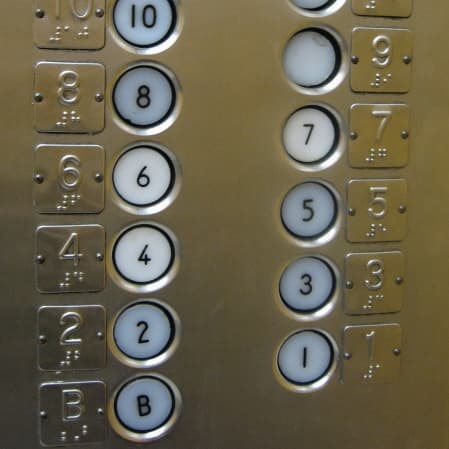
Elevator Pitch: Value in 30 Seconds
An elevator pitch briefly explains what you do, who it helps and why it matters. Use it to start a networking or interview conversation. Aim to earn a useful follow-up question instead of fitting your entire story into the introduction.
Boilerplate: The Copy-Paste Text of Everything
Boilerplate is standardized, reusable text you can drop into new contexts. It shows up in legal disclaimers, "About Us" pages, and code libraries. The footgun is overusing it, making your work feel impersonal or applying a template where custom text was…
Footer Layout Patterns
A footer is a safety net for users who reach the bottom of a page without finding what they need. Use a "Big" footer for complex sites, "Medium" for standard ones, and "Slim" for simple pages.
Modal Dialogs: The Focus Trap Pattern
A modal dialog is a "focus trap" that overlays the UI, forcing a user to complete a task. It's used for critical confirmations or focused inputs, like a date picker. The main footgun is failing to trap keyboard focus, letting users tab into the inert.
Figma: Frames vs. Groups
A Frame is a container with its own size, like an artboard; a Group's size just shrinks to fit its contents. Use Frames for UI components with fixed dimensions and clipping, and Groups for simple collections.
Semi-Structured Interviews: Uncover User Needs Through Conversation
A semi-structured interview is a guided conversation, not a rigid script, to uncover the 'why' behind user needs. Use it in discovery to define problems before designing.
Figma Shape Tools: Your Design Building Blocks
Figma's shape tools are the building blocks for any design. Use them to create everything from buttons and icons to dividers. The footgun: forgetting to hold Shift for perfect squares/circles or Option/Alt to resize from the center, slowing you down.
Content Strategy: The Plan Before the Content
Content strategy is the blueprint for your content, guiding its planning, creation, and management. It's the thinking behind a company's blog or help docs. The common mistake is confusing strategy with just writing; it's the 'why' and 'how' behind the words.

Storybook: Design System Documentation
Storybook is a workshop for building UI components in isolation, then auto-publishing docs from those living examples. Teams use it to catalog design systems without maintaining a separate documentation site.
Editorial Calendar: Your Content's Strategic Plan
An editorial calendar is a strategic plan, not just a to-do list, that turns chaotic content ideas into a coordinated publishing machine. It's used to align teams and manage content across blogs and social media.
Design System Onboarding: The Welcome Mat
Design system onboarding is a welcome mat, not a full manual. It orients new users by explaining the system's purpose and scope, then routes designers to interactive guides and engineers to implementation docs. The footgun is information overload.
We are hiring for this. Every open role lists the topics its interview covers, so you can prepare for the real thing rather than guessing.
See open roles