Concepts in Frontend Dev, page 17
TypeScript: Modify Properties with Mapped Type Modifiers
Mapped type modifiers let you add or remove readonly and ? from a type's properties. Use them to create a fully required type from an optional one, or a mutable version of a readonly object. The footgun: remember the - prefix to *remove* modifiers.
Next.js Loading UI: Instant Shells, Streamed Content
Next.js's loading.js shows an instant UI shell while streaming in server-rendered content. Use it for data-heavy pages to improve perceived performance. The footgun: a loading UI only wraps its own route segment and children, not parent layouts.
Style Dictionary: A Build Tool for Design Tokens
Think of Style Dictionary as a compiler for your design system. It takes abstract design tokens (like brand colors and fonts) and automatically generates platform-specific style files for web, iOS, and Android, ensuring consistency everywhere.

TypeScript's Optional Chaining (`?.`)
Optional chaining (?.) lets you safely access nested properties without crashing on null or undefined. Use it to replace verbose && checks when traversing deep objects. The footgun is that it only checks the value to its left, not the entire chain.
error.js: Graceful Error Boundaries in Next.js
The error.js file acts as a UI safety net, catching runtime errors in a Next.js route segment to prevent a full app crash. Use it to display a custom error message and a "try again" button.
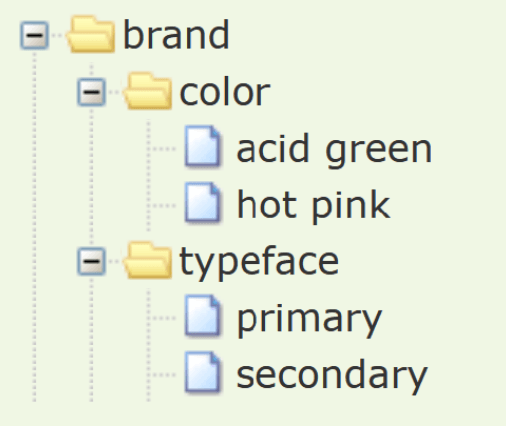
Composite Design Tokens: Bundling Style Properties
A composite design token bundles multiple style values into a single, semantic unit, like a "style kit" for shadows or typography. Use them to apply complex, multi-property styles like borders or text styles with one reference.

Angular HttpInterceptor: A Pipeline for API Requests
Think of an HttpInterceptor as a pipeline for every API call, letting you inspect or modify requests and responses globally. Use it to automatically add auth headers or show a loading spinner.
Next.js Metadata API: Control Your Site's Preview
The Next.js Metadata API is a structured way to control your page's <head> for SEO and social sharing. It lets you define titles, descriptions, and Open Graph images for crawlers and link previews.
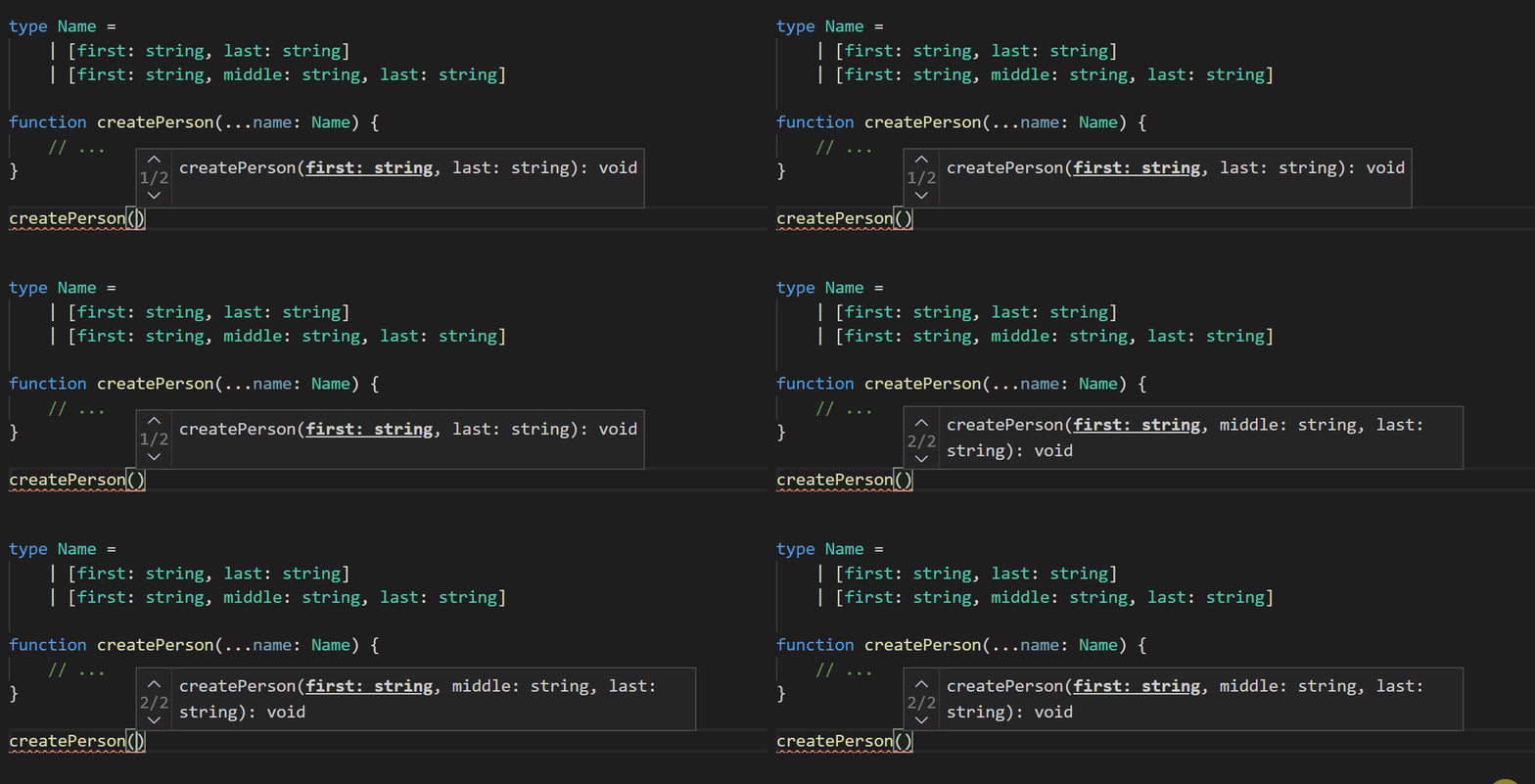
Variadic Tuple Types: Type-Safe Spreads for Tuples
Variadic tuple types let you use spread syntax (...) inside tuple type definitions, just like you do with array values. This is crucial for typing functions that manipulate tuples, like concat, without writing endless overloads or losing type information.
Dynamic Rendering: On-Demand Pages in Next.js
Dynamic Rendering in Next.js generates a page's HTML on the server for each user request, ensuring fresh content. It's ideal for personalized dashboards or pages with rapidly changing data.
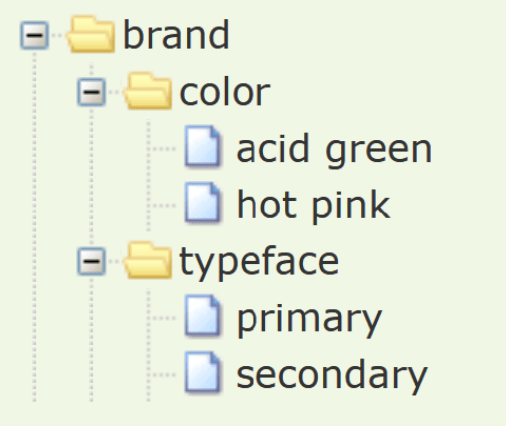
W3C Design Tokens: A JSON Standard for Design Systems
The W3C Design Tokens format is a universal translator for your design system's variables. It's a standard JSON structure that lets design tools and codebases speak the same language for colors and spacing.
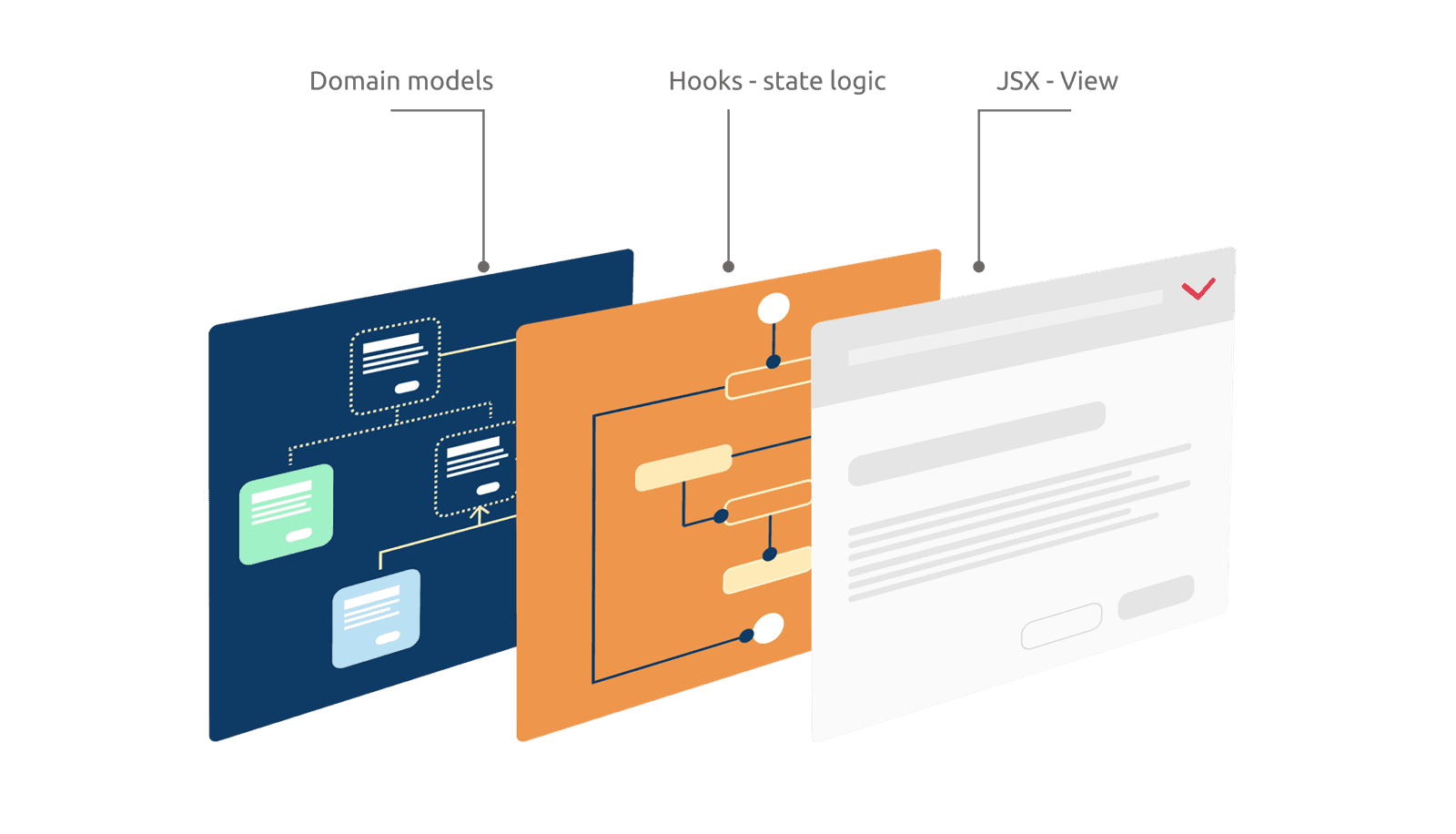
Headless Components: Separate Logic from UI
A Headless Component separates a component's logic from its UI, providing the 'brain' without the 'looks'. Use it for complex elements like dropdowns that need consistent behavior but different visual styles. The footgun is assuming it's a drop-in UI.
Next.js Caching: When and How to Revalidate Data
Next.js aggressively caches data by default. Revalidation is how you tell it the data is stale, either after a set time or on-demand after a mutation. The footgun is forgetting fetch is cached; use revalidatePath or revalidateTag to bust the cache.
Vue Render Functions: Trading Templates for JS Power
Render functions trade Vue's declarative templates for the full programmatic power of JavaScript. Use them for highly dynamic components where logic is too complex for templates. The footgun is losing template optimizations and readability for imperative code.
Next.js Parallel Routes: Multiple Pages in One View
Parallel Routes render multiple independent pages within a single layout, like a split-screen dashboard. This is ideal for complex UIs where different sections need to load and be managed separately.
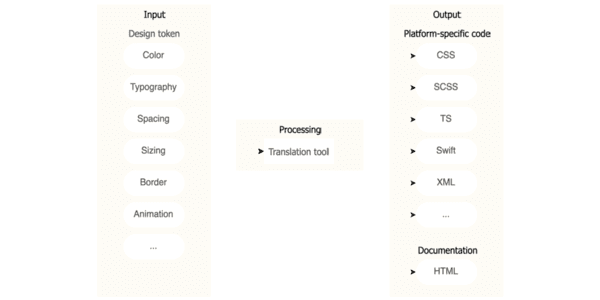
Design Tokens: Automating UI with a Build Pipeline
Think of design tokens as design decisions stored as data. A build pipeline consumes this data to auto-generate code for multiple platforms, ensuring consistency. The footgun is exposing all raw 'option' tokens instead of curated 'decision' tokens.
Vue Plugins: Add App-Wide Functionality
A Vue plugin packages reusable logic to add features across your entire app, like a global toolbox. Use them for routing, state management, or making custom functions globally available.

localStorage: Your Browser's Persistent Key-Value Store
localStorage is a simple dictionary saved in the browser that persists after the tab closes. Use it to save user settings like a theme. The footgun: all values are strings, so numbers and booleans need manual conversion, like parsing 'true' back to a boolean.
Next.js Intercepting Routes: Modals on Rails
Intercepting routes let you show one route's content inside another's layout, like a photo modal over a gallery feed. It's ideal for shareable modal URLs. The footgun: a page refresh or direct navigation bypasses the interception, rendering the full page.
Custom Elements: Create Your Own HTML Tags
Think of Custom Elements as creating your own Lego bricks for the web, defining new HTML tags with custom logic. Use them to build reusable components like a <product-card>. Be wary of extending built-in elements, as Safari does not support this.
We are hiring for this. Every open role lists the topics its interview covers, so you can prepare for the real thing rather than guessing.
See open roles