Everything in Frontend Dev, page 52

CSS Scroll Snap: Guiding User Scrolling
CSS Scroll Snap turns a free-scrolling container into a slideshow, guiding users to land perfectly on predefined points. It's ideal for image carousels or full-page sections where partially visible elements look sloppy.
The Popover API: Native Tooltips and Menus
The Popover API creates tooltips and menus with just HTML, placing them in a top layer above all other content without z-index hacks. Use it for action menus or notifications.
The `inert` Attribute: Making UI Sections Unreachable
The inert attribute makes a part of the DOM non-interactive and inaccessible. It's like a glass pane over a UI section: you can see it, but can't click, focus, or use a screen reader on it. Use it for off-screen menus or inactive dialogs.
Fix Ragged Text Lines with `text-wrap: balance`
Fix awkward text wrapping in headings. text-wrap: balance tells the browser to make each line roughly the same length, improving readability. Use it for short text blocks like titles, but know it's limited to a few lines due to performance costs.
CSS Nesting: Grouping Related Styles
CSS nesting groups related styles like folders for files. Instead of repeating parent selectors, you write child rules inside the parent. This is great for component-based styling, but over-nesting creates specificity headaches that are hard to override.
Web Workers: Offload Heavy Tasks from the UI Thread
Web Workers run JavaScript on a background thread, preventing heavy tasks from freezing your UI. Use them for complex calculations or data processing that shouldn't block rendering.

The RFC Process: Formalizing Technical Decisions
An RFC (Request for Comments) is a formal document for proposing a major technical change, creating a public record of the decision. It's used for big shifts like adding a new design system component or changing a core API.

Design System Adoption: A Product, Not a Project
Treat your design system like a product with users (your teams), not a one-off project. This is crucial when launching a new system to ensure teams actually use it. The biggest footgun is assuming 'if you build it, they will come.'
Design System Office Hours: Your Team's Live Support Channel
Design System Office Hours are a live support channel for your users. They're great for answering questions, unblocking teams, and gathering feedback as adoption grows. The main footgun is inconsistent promotion, which leads to empty, ineffective sessions.

Contribution Guidelines: The Rulebook for Your Design System
Contribution guidelines are the rulebook for evolving a shared design system, defining who can add what and how. They're essential when multiple teams need to contribute without chaos.
Semantic Release: Automate Versioning with Commit Messages
Semantic Release automates versioning by reading your commit messages. It decides if a change is a fix, feature, or breaking change and bumps the version for you. It's used in CI/CD to publish packages automatically.

CODEOWNERS: Auto-Assigning PR Reviewers
A CODEOWNERS file maps repo paths to owners, auto-requesting their review on PRs. It ensures experts review changes to their code, like a platform team owning CI configs. The footgun: owners aren't notified for draft PRs and must have write permissions.
Automated Accessibility Testing: Your First Line of Defense
Think of it as a linter for usability, scanning your code for machine-detectable issues like missing alt text or poor color contrast. It's often run in CI pipelines to catch regressions. The footgun is relying on it exclusively, as it misses most issues.
Design System Build Pipeline: Automating UI Consistency
A design system pipeline treats UI rules like code, syncing design tokens from a single source of truth (like Figma) to your codebase. It prevents drift between design and code, but the biggest footgun is not starting one, leading to manual, error-prone…
Visual Regression Testing: Spot the Difference for UIs
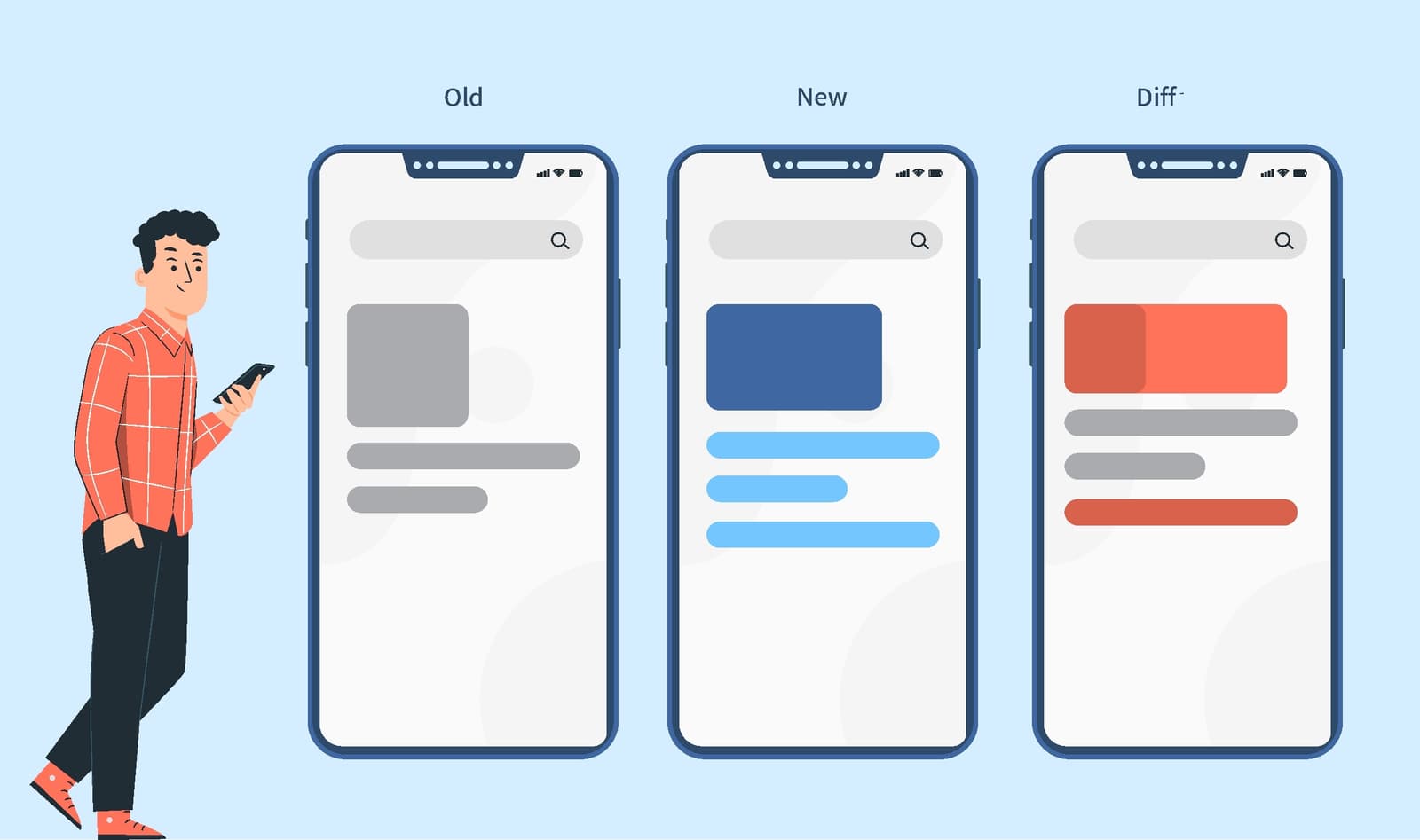
Visual regression testing is like an automated 'spot the difference' for your UI, catching visual bugs functional tests miss. It's used in CI/CD to compare screenshots before and after a code change.
Monorepo: Managing Multiple Projects in One Repository
A monorepo puts multiple projects into one repository, creating a single source of truth. It's great for design systems, allowing atomic updates to shared components and consuming apps.
Pre-commit Hooks: Your Code's Quality Gatekeeper
Think of a pre-commit hook as a bouncer for your codebase. It's a script that runs before Git finalizes a commit, checking your changes against project rules. Use it to automatically lint code, run formatters, or check for secrets before they enter history.
Doc Site Generators: Content-First Websites
A doc site generator turns your Markdown files into a complete, searchable website. Use it for project docs or blogs to focus on writing, not web dev. The footgun is thinking they're only for docs; many are powerful static site generators.
Component Scaffolding: Automate Boilerplate, Enforce Consistency
Component scaffolding automates creating files from templates, ensuring new components start with the correct structure. Instead of copy-pasting, run a command to generate the component, its styles, and tests.
The Accessibility Tree: The DOM for Assistive Tech
The accessibility tree is the DOM's sibling, built for assistive tech. Browsers derive it from your HTML, exposing each element's name, role (e.g., 'button'), and state (e.g., 'checked') to screen readers.
We are hiring for this. Every open role lists the topics its interview covers, so you can prepare for the real thing rather than guessing.
See open roles