Intermediate concepts in Design & UX, page 9

Incidence Rate: The Recruitment Cost Multiplier
Incidence rate is the fraction of people who pass your screener. In UX research, a 5% rate means screening twenty people to interview one. Teams often forget to pre-filter panels by demographics they already know, burning budget on obvious rejections.
Figma Vector Networks: Graphs, Not Just Chains
Vector networks are graphs, not just chains. Unlike traditional paths where a point connects only two lines, a vector network allows multiple lines to meet at a single vertex. This is Figma's engine for complex shapes.
Boolean Operations: Non-Destructive Shape Math
Boolean operations are non-destructive shape math, combining layers into complex forms while keeping the original pieces editable. Use them for icons and illustrations. The footgun: intersecting non-overlapping shapes makes them disappear until they touch.

Design System Governance: A Process for Evolution
Design system governance is a process for when components don't meet a team's needs. It guides teams on whether to create a one-off "snowflake" or contribute a new component back to the system. The footgun is letting teams "find a way," leading to chaos.

Third-Party UX Recruiters: Methodological Bouncers, Not Body Shops
Third-party UX recruiters are quality filters, not just people finders. They validate participants fit your methodology, not demographic checkboxes. Use them when one wrong user corrupts a usability study.
Figma Prototypes: Build Interactive Flows, Not Just Screens
Figma prototypes turn static designs into interactive user journeys by connecting frames. Use them to test user flows, present to stakeholders, or get feedback before writing code. The footgun: a single top-level frame can only be one flow's starting point.

Design System Adoption: Treat It Like a Product
Treat your design system like a product you're selling to internal teams, not just a library. Without an adoption strategy focused on real workflows, even a perfect system will be ignored, leading teams to build from scratch or create their own mini-systems.
Single Ease Question (SEQ): Instant Task Difficulty Scores
The Single Ease Question is a 7-point post-task thermometer for perceived difficulty. Ask it immediately after a task attempt in usability tests. It correlates around r=.5 with completion and time, yet 14% of users rate failed tasks as easy.
Figma's Smart Animate: Motion Without Keyframes
Figma's Smart Animate creates fluid animations by tweening layers between frames. It's perfect for prototypes with expanding cards, sliding toggles, or parallax effects.
Semantic Colors: Naming a Color's Job, Not Its Value
Semantic colors name a color's purpose (e.g., color-background-interactive) instead of its value (#007BFF). This simplifies theming, like light/dark mode, by mapping roles to specific primitive colors, ensuring a consistent UI across an application.

Research Socialization: Make UX Insights Visible
UX research only drives outcomes if people see it. Research socialization pushes insights beyond design and product teams to the wider business. When studies sit trapped in folders, strategy gets built blind.

Empty State Pattern: More Than Just a Blank Page
An empty state turns a blank screen into a helpful guide, showing users what's possible and how to get there. It's crucial for first-time use, 'no results' searches, or after data deletion. The footgun is treating it as an afterthought, leaving users stuck.

ResearchOps Playbooks: Standardize UX Research
A ResearchOps playbook is your team's operating manual for repeatable research. It matters when multiple researchers recruit, analyze, and report across squads. The footgun is writing it once and letting it rot instead of treating it as a living process.
Figma Instance Overrides: Local Changes, Global Components
Instance overrides let you customize a component copy without breaking its link to the main. Use them to change a button's text or swap an icon for a specific context. The footgun: Overrides are lost when swapping variants if layer names don't match.

IA: How to Organize Docs So People Use Your Design System
Think of your design system docs like a library. Information Architecture (IA) is the shelving and catalog system that lets users find the right component or guideline. It's crucial for any system where discoverability impacts adoption.
Research Competency Matrix: Mapping Team Growth
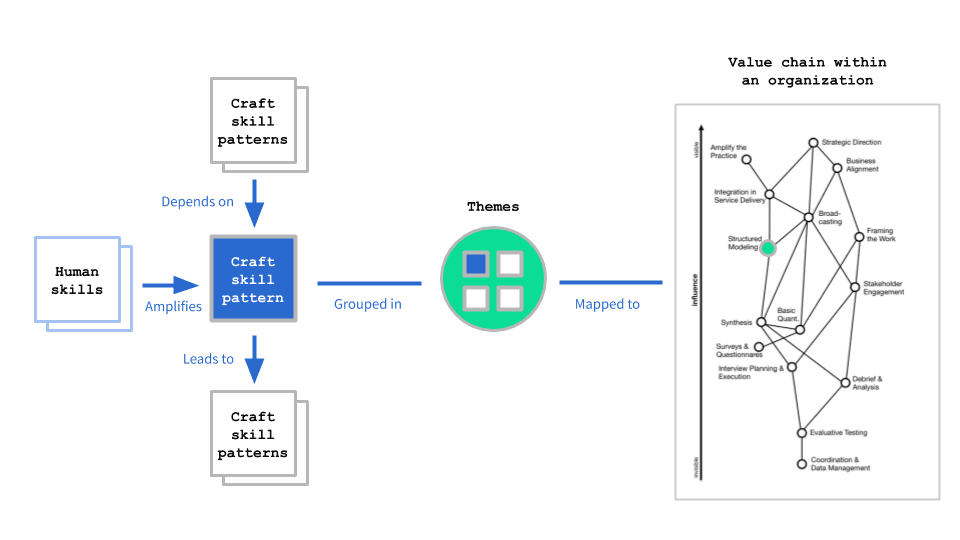
A competency matrix maps craft and human skills against career stages to reveal gaps. Use it to plan hiring and align capabilities with organizational needs. The footgun is treating it as a rigid checklist instead of a customizable reflection tool.

Base Component Pattern: Your Design System's Template
Think of a base component as a master template for UI elements. Changes to the master instantly update every copy, ensuring consistency. Use it for repeated elements like buttons or icons that need slight variations.
Measuring Documentation Effectiveness
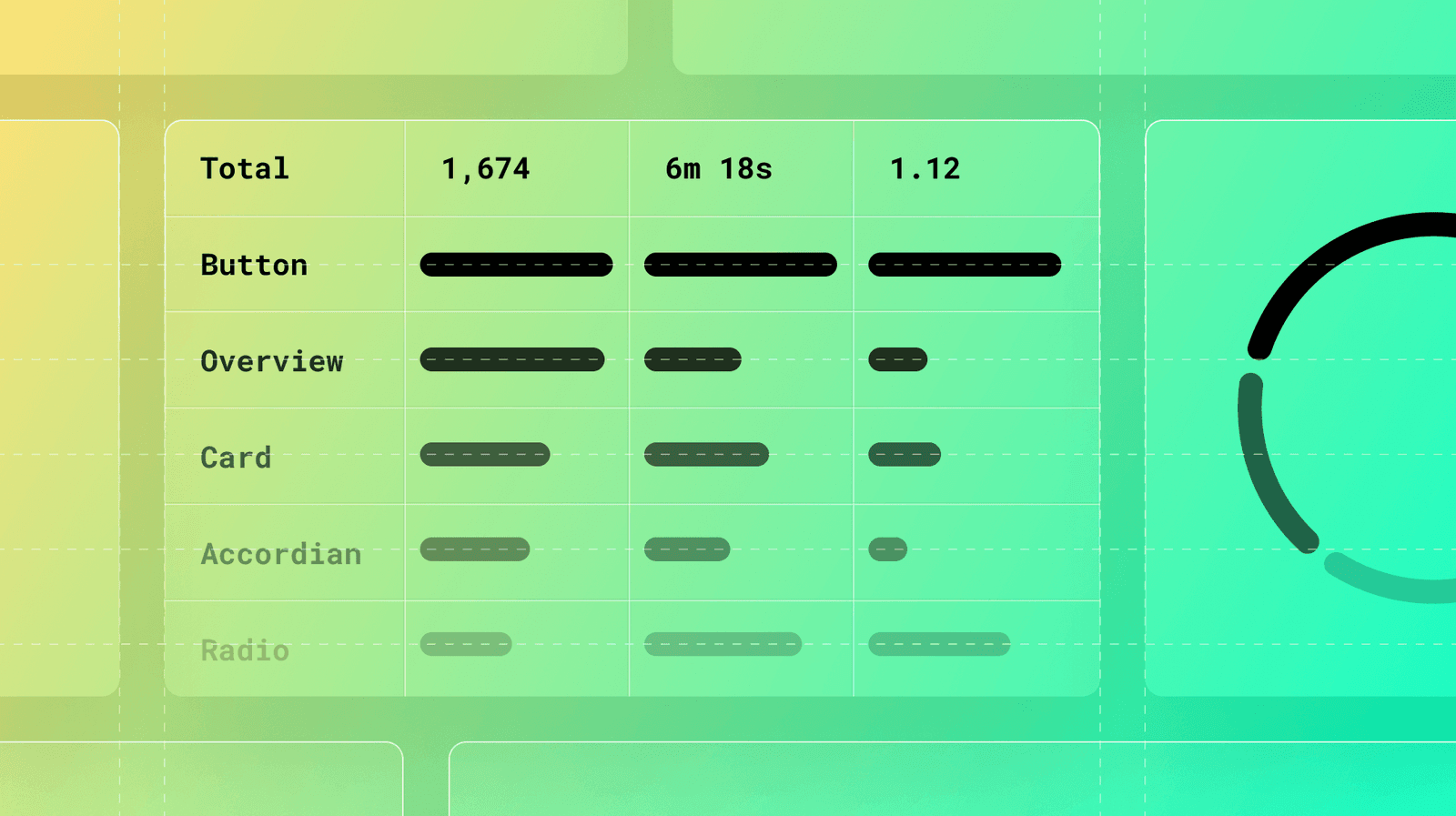
Treat your design system docs like a product, not a library. Use analytics on page views, search queries, and user feedback to find confusing components and content gaps. The footgun: high traffic can signal a confusing page, not just a popular one.
Research Tool Stack Management
A UX research tool stack is your standardized toolkit, not a random app collection. It speeds up projects and helps onboard teammates through ResearchOps. Picking tools before you know your research question forces methods to fit software instead of problems.
Figma Prototype Flows: Isolate User Journeys
Prototype Flows are named entry points for testing distinct user journeys in one file. Instead of separate pages for 'Sign Up' and 'Checkout,' create a flow for each. This keeps complex designs organized.
We are hiring for this. Every open role lists the topics its interview covers, so you can prepare for the real thing rather than guessing.
See open roles